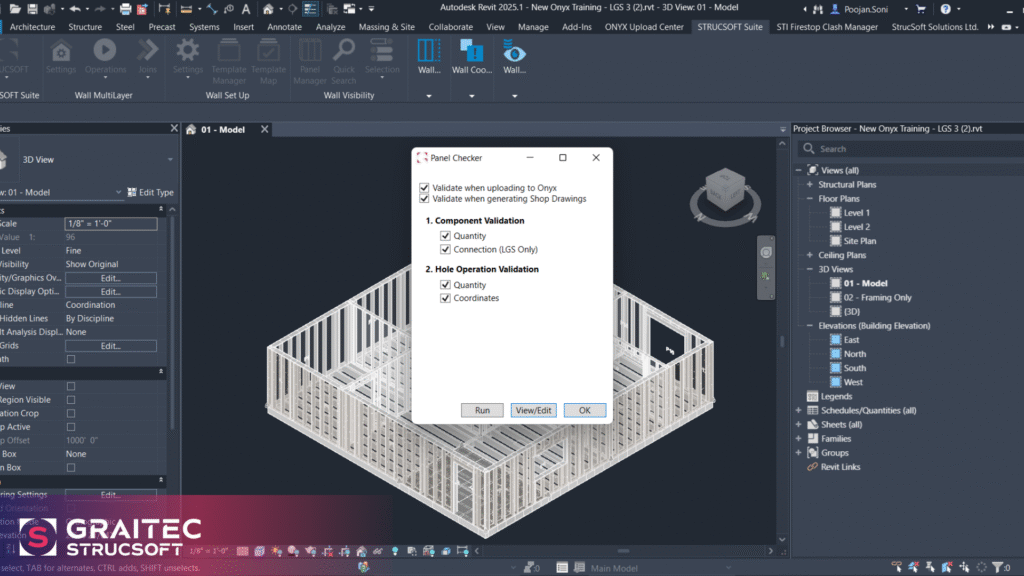
Big news! We’ve rolled out Strucsoft for Revit 2026 (Version 2.43, Build 9370), packed with updates to make your everyday work easier. The star of the show? Panel Checker: a unique tool that automatically validates your wall panels for modeling errors, and gets smarter the more you use it!
From reducing mistakes to speeding up your shop drawings and fabrication timeline, this release is all about helping you work smarter, not harder. Download it today by heading to your client portal.
Panel Checker: Catch Errors Before They Catch You
Errors discovered too late in the process can lead to costly rework, wasted materials, and delays in fabrication. Panel Checker changes that.
This new feature runs in the background to automatically validate your panels during the detailing phase. Before you generate Shop Drawings or export panels to Onyx. Panel Checker identifies and flags issues around critical components such as: member quantities, connections, stud orientation, and hole series coordinates.
In addition to automatic checks, users can manually flag issues for specific panels. The tool provides both a Project Panels Overview (with automatic check results for all panels) and a Panel Issues Log (for manually added issues).
What does this mean for you?
Increased shop drawing accuracy
Fewer errors at fabrication
Improved error coordination and monitoring
The more you use it, the smarter it gets. Every flagged issue contributes to improving accuracy not just for your projects, but for every engineer, drafter, and modular builder using Strucsoft. This tool also lays the groundwork for future AI-driven features that will transform how users validate and coordinate panel data.

Modular Menu Improvements
- Floor/Ceiling Panels in Modular Gather Sheets: Generate drawings for floor, ceiling, and roof panels directly from Revit groups using the Modular Gather Sheet tool.
- New Output/Options Menu: The Modular menu now includes its own Output/Options menu, featuring simplified Panel and Member Positioning tools and new options to compare/group Subassemblies across groups by parameters like Group ID and Framing ID.


Properties with Preview (Beta)
The new Properties with Preview interface now supports “All Panels” and “Partial Change” functionality. Assign or modify settings across multiple panels simultaneously, with real-time previews to confirm accuracy before applying changes.
Truss Enhancements
- Dead Load & Deflection Settings: Now included in Truss Analysis.
- New Output/Options Menu: More clarity in Truss Analysis reporting.
General Improvements
- Tolerance Tool for LGS Panels – Add tolerance gaps between members, now available in Properties with Preview.
Truss Header Symmetrical Y Option – Insert verticals between diagonal members for added flexibility.
Expanded “Add Panel Members” Tags – New options for Header, Sill, King, and Jack.
Angle Parameters in Floor Panels – Floor panels now populate cut and bevel angle parameters like wall panels.
Shop Drawings: Detail View Update – Automatically assign and duplicate Revit Detail Views in Shop Drawings.
Modify Generated Update – Make changes without fully regenerating a panel when possible.
Shop Drawings: Hole Series Dimensions – Dimension Hole Series at the top of panels in Elevation View.

Revit 2026 Compatibility
All Strucsoft products are now fully compatible with Revit 2026, ensuring your workflows stay up to date with the latest Autodesk release.
Additional updates include:
BC Calc Integration for Floor Engineering
Free Add-on Apps (installed separately): Column Splitter, Web Stiffener, StrucCope
Strucsoft CNC – Legacy machines remain supported, with updates managed by the Onyx team.
Ready to Experience the New Release?
This release takes another major step forward in accuracy, efficiency, and collaboration for the framing industry. From the groundbreaking Panel Checker to streamlined Modular tools and improved Shop Drawing workflows, Strucsoft is building the foundation for a smarter, AI-powered future in construction.
Looking to share feedback or suggest new features? Head over to Graitec Advantage and drop us a message!
See the Panel Checker in progress...
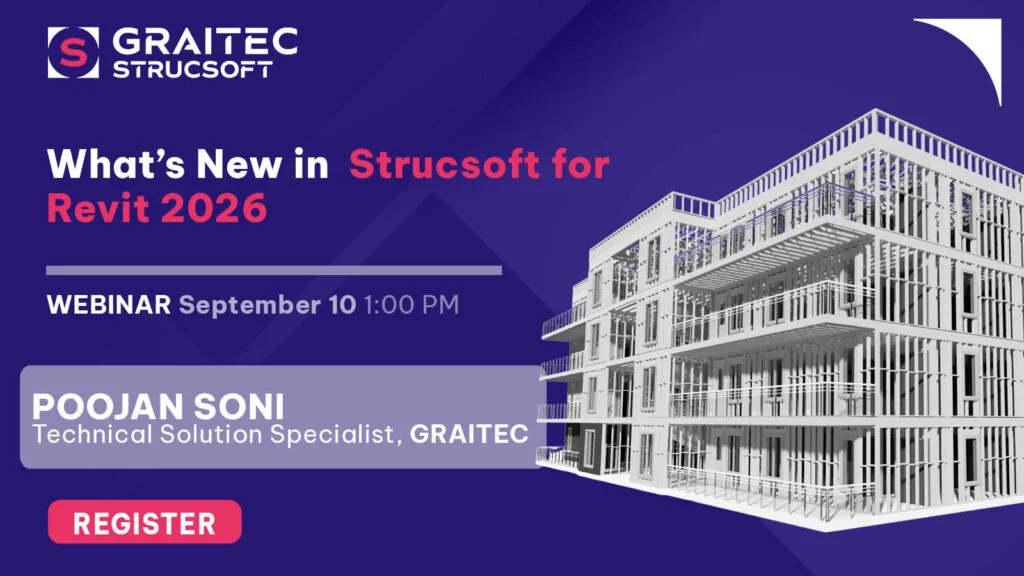
Register for the New Release webinar on September 10th!