Leading the Way in Prefab – How DBC Optimizes DfMA with Strucsoft Metal
Date
Duration
Speaker

Thais Blinovas
Product Manager - Strucsoft
Watch the recording
What’s the webinar about?
Join Strucsoft and Digital Building Components for an exclusive behind-the-scenes look at how cutting-edge technology is transforming offsite construction. In this thought leadership session, discover how DBC has positioned itself as an industry leader by fully embracing prefab, leveraging digital tools, and streamlining its DfMA workflows with Strucsoft Metal. Learn how advanced coordination, BIM integration, and automation have helped DBC accelerate project delivery, reduce errors, and scale operations—all while pushing the boundaries of what’s possible in modular construction.
What you’ll learn
- How DBC leverages prefab construction
- The end-to-end role of Revit and Strucsoft in DBC’s workflow
- Key Strucsoft features that power DBC’s exterior prefab process
- Real-world insights on adopting prefab at scale
Read the full video transcript
Hi everyone, hello. I believe we can go ahead and start.
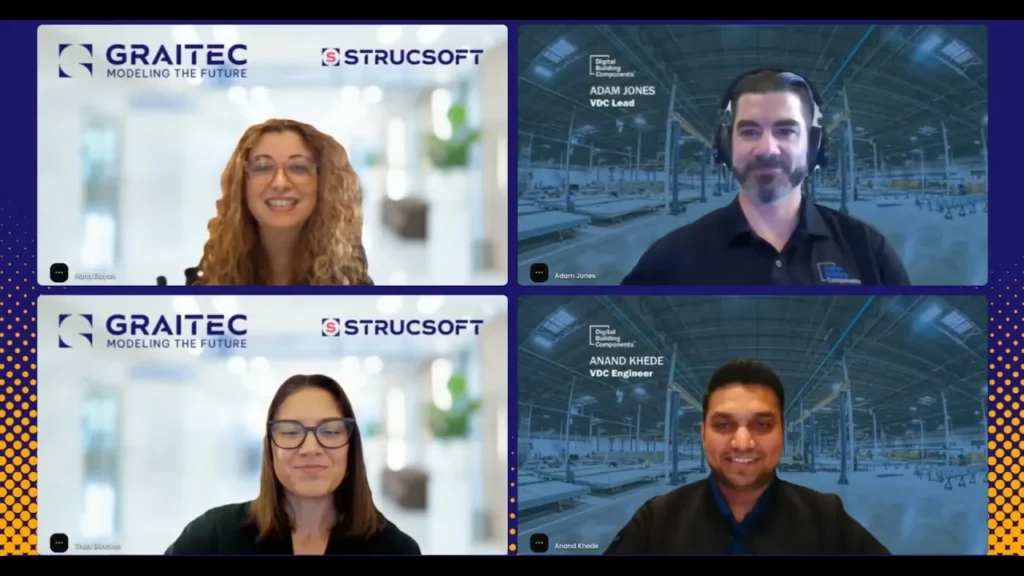
First of all, I want to say hello to everyone who’s joining. My name is Thais. I’m the Product Manager for Strucsoft, and we also have here on the Graitec side Hana, who’s a Solution Specialist. Today we have two super important guests. We have the pleasure to welcome Adam and Anand from DBC, which is short for Digital Building Components. DBC has been a reference in the prefab industry and they have been using Revit and Strucsoft for quite some time now. They are really power users. Welcome, Adam and Anand.
Adam & Anand: Thank you so much for having us. Yeah, it’s great to be here. Good to be here.
Awesome. And before we start, everyone: if you have any questions, we have a chat. Feel free to enter your questions in the chat and we’ll get back to those at the end of the session.
Perfect. To start things off, Adam and Anand, could you guys tell us a little bit more about yourselves and your roles at DBC?
Adam: Yeah, I guess I could start. I’m Adam Jones. I am the VDC Lead over at Digital Building Components. I run our modeling team that specializes in digital framing. We produce and oversee our shop drawings and stuff that gets sent out to our fabrication and our install teams.
Anand: Thanks, Adam. I’m Anand Khede. I’m a VDC Engineer here at Digital Building Components. I’ve been here for seven and a half years now. I’ve worked on multiple projects using it a bit with you guys.
Awesome. And for maybe someone who might not know DBC, how would you describe what makes your company unique in the construction industry?
Adam/Anand: For us, what makes us unique is that we’re in the prefab space, which is newer to the industry and it’s becoming more of a streamlined thing. But what really makes us unique is that we get together on the forefront of projects. We do all of our coordination and we get everything dialed in before we ever even enter our own fabrication. What makes us overall trendsetters is that we are working with design teams and engineers and general contractors on the forefront of projects, really integrating with the design side. We enter trade coordination where we end up partnering with other trades to make sure that we’re not going to have any clashes or issues that might hinder on-site construction.
We do everything off-site in our facility. We specialize in prefab exterior panels—the facades and everything for the building. We do everything from studs; we have IMP, we do metal panels and set windows, and we have a lot of variation in the different product types that we are able to put out. We are a full turnkey process from design all the way to rolling out our own material and getting the panel set in place and everything finished and dried in—getting projects dried in sooner. I think that covers it.
In your opinion, what’s the biggest advantage of using prefab construction methods instead of traditional methods?
Adam/Anand: With prefab, I think the biggest thing is that we can control the quality of the product within a controlled environment. Everything that goes out, we have our hands on it into the details—figuring out things down to the minute details. We have control over everything. The biggest thing is schedule savings. A lot of the projects now are very fast-paced; schedule savings is the biggest thing that we can achieve with prefab. Another thing is we have projects that go into remote locations where you’re not able to find labor or any other activities. Once we get into prefab, that gives us the opportunity to start projects in remote locations or regions which are higher labor market. When prefab drops in, that helps these projects stay on schedule and within budget. And yeah, with prefab we resolve a lot of issues upfront.
What would you guys say is the biggest challenge in construction in general that prefab will help solve?
Adam/Anand: One of the big things is speed. We’re getting more and more requests, especially with advanced tech centers, where there is a need for speed and a need to get things rolling. We really get the benefit because we have a controlled environment where we build, but then when we’re building our panels, they’re still digging trenches, digging for foundations and footings, and getting all that going on site. While they’re working on that, we are actively building our panels. That way, once they are ready and they have steel up, we’re setting panels behind them—which is really advantageous for advanced tech and medical centers where they want to get their buildings dried in as quickly as possible because they have a lot of expensive equipment that needs to be moved in and protected. With our prefab, we give that opportunity to help those guys out.
Nice. And do you guys work a lot on big projects, or do you also do smaller projects? Are you usually more focused on commercial or bigger projects?
Adam/Anand: Now we are serving four major industries: advanced healthcare, hospitality, and commercial. These are our main focus projects now.
Cool. Before we jump into the more technical stuff, do you guys have anything else you would like to share about DBC in general?
Adam/Anand: I think one of the big things to mention is that with our process and utilizing Revit and Strucsoft—that integration and the information that we’re able to pull out and share with teams is something that traditional construction doesn’t typically have. We’re able to provide that to clients and integrate with other platforms—Autodesk—and be able to create a full system and a full process within our own stuff, which really helps make sure that we track on schedules, time with our timing again, the quality piece. Because we’re building out of facilities and warehouses, we have a controlled environment where we’re building—in which on-site conditions you’re not getting that. We also reduce a significant amount of waste because we’re able to take the model files and create CNC files which then we can feed roll formers—allowing us to get studs exactly to length and essentially eliminate any manual cutting by the field team or the fabrication team. We clean up waste not only within our own shop and facility, but we also take up less space on job sites because you’re not having to worry about things having to get scaffolded. The way that our guys set panels—they set them from the inside of the building—you’re really reducing the footprint that this scope would end up taking up. It’s been very beneficial, particularly on jobs where you might be in tight corridors or tight spaces. We have a good way of finding solutions for different conditions that typical construction may not be able to accommodate.
Yeah, for sure. And going into the more technical things—you already mentioned a little bit about it—but can you walk us through more in detail how the technologies Revit and Strucsoft fit in your day-to-day process?
Anand/Adam: Yeah, being a prefab company, we heavily rely on Revit to install all of this. All departments use technology very heavily, starting from the design phase—it’s all Revit-based and model-based environment. When we do training to the shop line, we rely on Strucsoft Metal. Then add into that—provided to us in our shop line—we rely on the technology. Then once we go into production, our facility uses the shop tickets; that’s also a piece of products. Our install team—that’s a big piece and that’s a big innovation and technology that we are leveraging, and we’re also figuring out different ways to use it.
Another thing: once we get into the design model, more into the detail, it’s a completely model-based environment. We have different entities bundled up together into one model where we look for different clashes. That’s a big piece of technology that has resolved issues and helped install to get going smoothly. Also, one of the things is that we can engage early in the projects way ahead. We can figure out things in detail and we can value engineer things and work on cost and budget savings. This is a big piece for us. And you also help collaborating within your team—even for maybe some students that are not directly involved in the day-to-day process—it’s still easy to communicate what’s going on and manage everything that’s happening in the project.
Yeah, we integrate and we set up in a way that everything gets transferred over. One of the nice parts is that we work within the Autodesk environment with Revit, Strucsoft, ACC—all these tools integrate together, which is really awesome. To Anand’s point, once we get our models all complete and wrapped up, that’s phase one of our process. Then we get into generating shop tickets for fabrication. We leverage the Strucsoft tool there to print those out for us and to help us get dimensioning started and some of that. When we take those, we end up utilizing those for our shop to fabricate off of. They fabricate off of those shop tickets—panel tickets, there’s some different names for them. Then we’re also able to take our Revit model within the ACC environment and we’ve been leveraging what’s called Assets there. We’re able to link all the information, pull in the data from Revit directly to Assets, then we’re able to attach the shop tickets that we have. We can create a sequence and our teams down on the shop floor end up working off of monitors. They see these shop tickets down there and they have the instructions on how to build. Then they can update statuses, they have some QC forms, and then it goes all the way out into the field guys where they’re using it and checking the boxes. We’re tracking these panels all the way through the process, utilizing the tools Revit, Strucsoft, ACC, and Assets all to help funnel and push our product through its line.
Yeah, that’s very interesting because then you have all the teams integrated and regardless of maybe one team is specific in one particular platform, everyone can still collaborate.
Cool. And moving on to more specific to Strucsoft—what would you say are the main features, or maybe what in general do you think about the usage of Strucsoft in your workflow? How does it impact your work and what you guys are trying to achieve?
Anand: Yeah, with Strucsoft the main feature that we use is the Wall Module feature because most of our projects are exterior skin projects where we prefabricate wall panels with different finishes on it. The Wall Module feature is one of the biggest features that we use that is really helpful for us—especially the template settings in there. We are able to configure the templates based on the engineering requirements which are very different on each type of project. There is another option of different markers that we have—that is really a great thing for us because we are able to configure framing. Some of the projects being in different seismic zones require different framing. With the help of Strucsoft we can design our framing the way we want—we can configure the way we want. Again, it’s a really useful tool for us. I’ve been using it since the beginning here at DBC. It has evolved much since I started here. The user-friendliness of the tool is really great.
That’s awesome. On that note, we’re gonna ask Hana to do a quick demo for us. Hana, take it away if you want to show us a little bit of what Anand was mentioning about the general workflow for walls and also some markers/marker lines. Go ahead.
Hana: Yes, sure. Thank you, Thais, and thank you Adam and Anand for being here, and thank you everyone who’s joining us. I will be going over a generic overview of the software first and then I’m going to dig in a little deeper into DBC’s favorite tools.
[Demo portion summarized in narrative form for readability, as the live screen share content is described verbally]
Strucsoft (previously known as MWF) is a Revit add-on/plugin dedicated to framing. In the demo, various walls are framed live using the Wall Module. Key features highlighted include preparing Revit models with walls, doors, and windows as hosts; using transparency to view embedded framing; template creation and customization (studs, horizontals, verticals, bottom/top tracks, Revit families, etc.); the improved Properties Preview menu; saving custom templates; Quick Create combined with Template Maps (automating framing by matching Revit wall types to Strucsoft templates); and framing multiple walls simultaneously.
Switching to a model provided by the DBC team, the demo showcases their specific usage: marker lines for CRC channels, punches, blocking, hole series, cap tracks (configured in Marker Manager and applied via properties), and out-of-the-box box headers for openings (applied via markers on openings or through rules in properties/view).
Thank you so much, Hana—great presentation.
And just to add to what Hana was showing: as you guys can see, we have a lot of features and a lot of ways of doing the same thing. People can just choose what fits best for their workflow. For example, for the CRC channels we showed marker lines—it could also be added through horizontals, for example—but marker lines are more flexible and very easy to use. It really depends on the workflow and what’s best for each company. We tried to focus here on what DBC usually uses and what fits best for their workflow.
And on that note, Anand, I think you also mentioned a little bit about the evolution of the software—both Strucsoft and Revit—because you guys have been using it for a long time. Do you have anything to share about this? How do you feel that evolution happened and what do you see happening in the future? How do you wish that the direction we take from now on for the industry—for the future—how do you see that being beneficial for your company?
Anand: Since when I talked about the evolution of the software, I have seen a lot of features added into the software in the last eight years. We started with simple wall templates, then went ahead with wall mapping; now we get to build custom headers—which is a really nice option just in case any of the framing configuration does not exist in the software. You can modify that configuration and add it. This is really a cool feature—you can customize everything. The one thing that I’m looking forward to—we have already talked about in our regular check-ins—is the integration of AI, which I think I know is in your pipeline. That will also be really helpful to take the software to the next level. But yeah, a lot of the things—this whole evolution, how the engagement of the Strucsoft team with the DBC team is going on—this is really helping us to gain better things and making sure that our needs are met.
Awesome. And before we jump into the questions and wrap up, do you guys have anything else you would like to share? What is your vision for the industry in general? What do you guys think the future looks like for prefab? Anything to share on that?
Adam/Anand: From my perspective, the initial onboarding—getting people going—is hard. But as people start to see the benefits of going this route and how smooth the projects can go, now the big challenge that I think everyone faces is that we ask for a lot of information up front because we need everything that you would typically have six, nine months, a year plus down the road—we typically need that at the front end. I feel as the industry starts to adapt this approach more and it starts to become a little more common, those things will go away because we’ll start getting people that are already prepared—they’re going to know what’s needed. We’ve been trying to help guide some teams that we work with that prefab might be new to, but I think there’s a lot of great opportunities with prefab. Once you get through that initial part, the rest of it goes pretty smooth because all your things are coordinated, set, and again we have a lot of the cool benefits with less waste and safer job sites and all that.
Yeah, I think it’s only starting. We have a lot of room to grow for sure.
[Audience Q&A portion summarized in narrative form]
Several questions were addressed from the chat, including challenges with data interpretation at the field level (biggest hurdle is initial adoption of technology; simplifies over time), use of modular tools and handling changing stud spacing (DBC uses Revit-based approaches with copy/associate/re-populate workflows rather than Strucsoft Modular), marker lines in templates (not directly savable in templates for flexibility; meant for post-creation edits/copy-paste/extend; alternatives like horizontals exist), need for a “digital dialogue specialist” (valuable for orchestration/integration/expertise, especially when new to prefab; education of other parties is key), manual dimension modifications on panel tickets (typically 80-90% automated; minor additions for critical/quality needs), and more.
Thank you very much, Adam and Anand, for joining us. It was a very interesting talk—really appreciate your time and thanks to DBC in general. It’s always a pleasure working with you guys. Thank you so much, Hana, for the demonstration—always a pleasure watching your demos. I love it.
And yeah, I think that’s it for today, guys. Thank you so much and have a nice day.
Adam, Anand, Hana, Thais: Thanks everyone. Have a nice day. Bye-bye.
Some of our international clients that use our software